Portfolio Strategies
Portfolio Strategies can be reused and assigned to all feature values in all applications within a single portfolio. Portfolio strategies help to minimise repetitive task of creating and/or updating the same strategy in multiple places where there is consistency in a strategy being applied (for example by country or customer).
Portfolio Strategies Settings
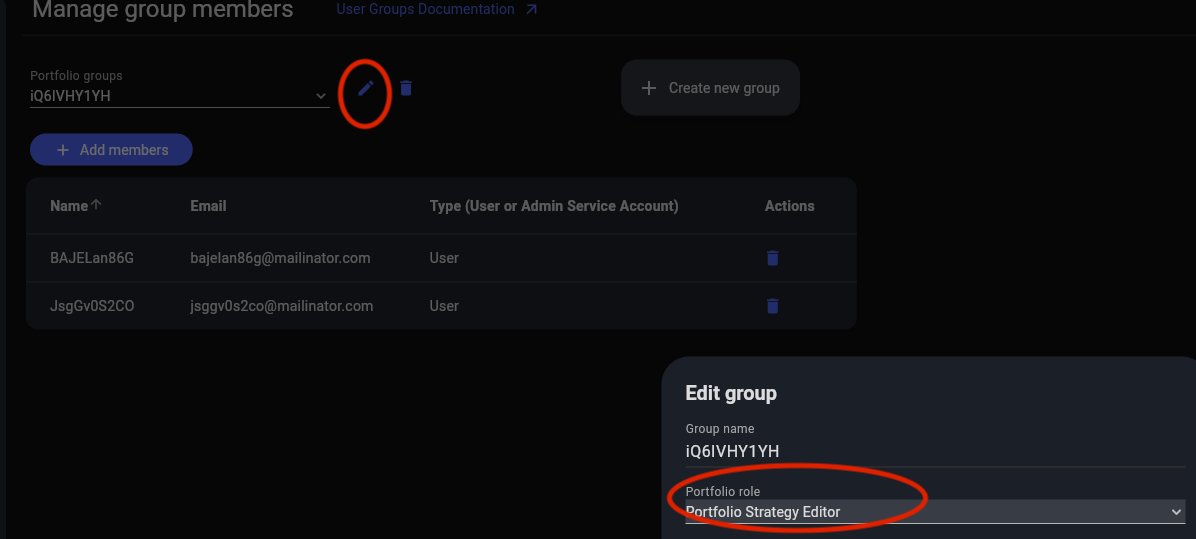
Portfolio Strategies can be created from the Portfolio Strategy page. In order to create one, you need to have a role of Portfolio Strategy Create or Portfolio Strategy allocated to your group. There are no limitations on how many strategies can be created within a portfolio.
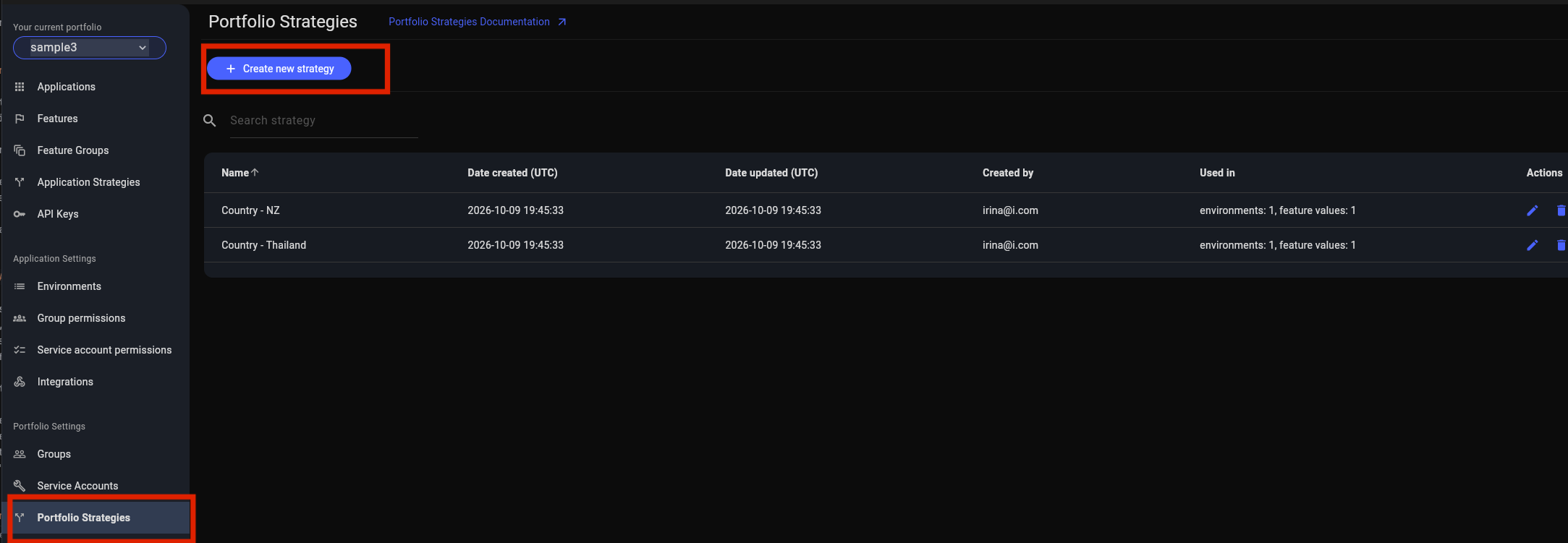
You can update a portfolio strategy name at any time. If you decide to delete an portfolio strategy, it will be removed from all feature values where it is used. Extra care should be taken when deleting a portfolio strategy. The features itself won’t be removed.
While percentage rollout can be specified, if it is it will apply across all feature values by default. It should generally be set at the individual feature value where the portfolio strategy is being applied.
Assigning Portfolio Strategy to a feature
In order to assign an portfolio strategy to a feature value, you first need to have a feature created from the "Features" screen. Once this is done, you can find portfolio strategies in the drop-down list on the feature value editing screen. You can assign as many portfolio strategies as you like and set the desired values. You can also set the percentage override this feature value has in this environment for a specific portfolio strategy.
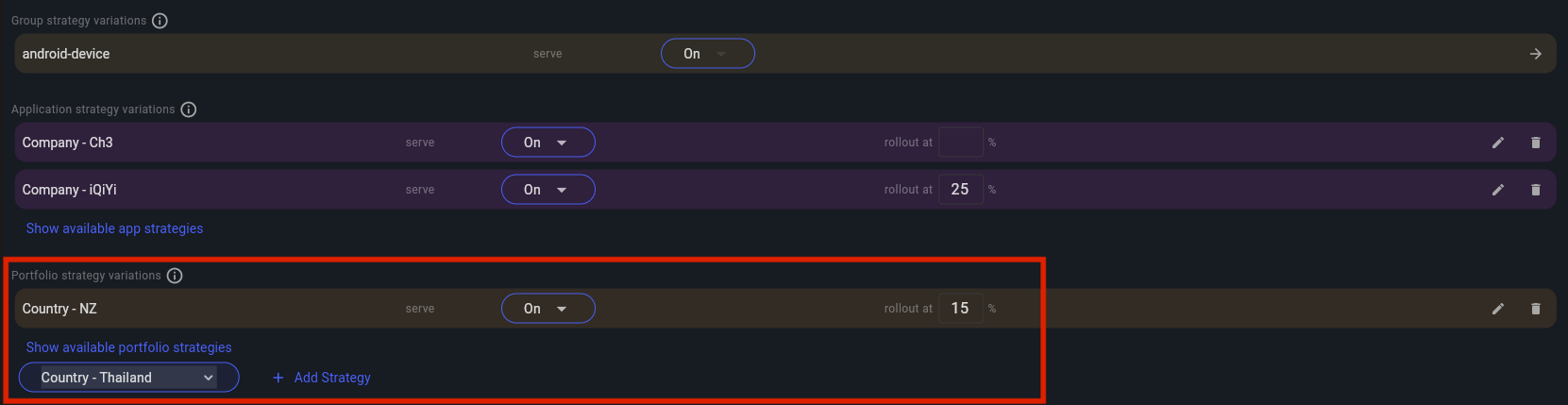
| The order in which portfolio strategy is evaluated, is as following: First evaluate against any "standard" rollout strategies assigned (you can set those from the Features screen), if no match, then evaluate against "feature group" strategy, then evaluate against "application strategy", then against the "portfolio strategy", then if no match, use "default" value. |
Portfolio Strategies User Permissions
User group permissions for Portfolio Strategies are set per group.
-
Createpermission allows to create portfolio strategy -
Create / Edit / Deletepermission allows to create, edit and delete portfolio strategy
| See Groups Permissions for details on the various permission states a feature can have. |